
What We're Actually Using AI For (Vol. 3)
Learn we're using AI for and how to make it work for you too.

We’re back with another installment of our series on practical AI usage! If you missed out on the previous editions, go back and take another look at the links below. We’ve covered travel research, admin tasks, course design, and presentation development, among other easy-to-replicate use cases.


The pattern continues: we don’t want revolutionary transformation narratives. We want to know what actually worked: what made a task less tedious? What saved time without requiring a complete workflow overhaul? These are the use cases we actually used when we needed help getting something done.
And as a reminder, we’re always looking for use cases from our readers. If you’d like to share what you’re actually using AI for, we’ve got a Google form open and would love to hear your ideas.
From Basic Skills to Rapid Prototypes: Coding With AI Agents - Mark Williams
Claude Code is changing how I work with computers. I’ve been doing variations of “vibe coding” since before there was a phrase for it (the term was coined by OpenAI founder Andrej Karpathy in February 2025). He characterizes it as describing what you want, letting AI handle the technical implementation, and embracing the vibes rather than agonizing over every line of code. When something breaks, you paste the error back in and usually it fixes itself.
I know how to code, but at a basic level. For the past couple of years, my version of this meant copying and pasting code from a chatbot into an IDE, a command line, or Cursor. It was impressive for its time, but the bottlenecks were real: doom loops where the agent kept making the same mistake, error handling that required more debugging skill than I had, and a constant sense that I was one wrong turn from a dead end.
Those issues haven’t disappeared, but the gap is closing fast. My experience with Claude Code powered by Opus 4.5 has left me buzzing in a way I haven’t felt since GPT-4 first dropped. December 2025 was the first month I did more of my AI work through the terminal than through the chat interface—and I don’t think I’m alone. If you haven’t worked with this current generation of coding agents, you’re not fully experiencing what AI at the frontier can actually do.
Using this approach, I’ve built functional legal tech tools: an AI Exam Grading Guide for law professors, Bella (an AI-powered document extraction and review tool), a Low Energy AI Interface that routes queries to different models based on efficiency preferences, an AI Litigation Dashboard tracking 350+ federal AI-related lawsuits, and interactive simulations modeling complex legal processes.
These aren’t production-grade applications—the gap between prototype and deployment remains wide. But it’s narrowing, and what used to take a development team now takes far fewer iterations than you’d expect. The goal isn’t perfection; it’s bringing ideas to life and making them tangible.


How do you make this work for you? Stop asking whether you can code well enough. Start asking what you want to build.
From Data Soup to Strategic Narrative – Cat Moon
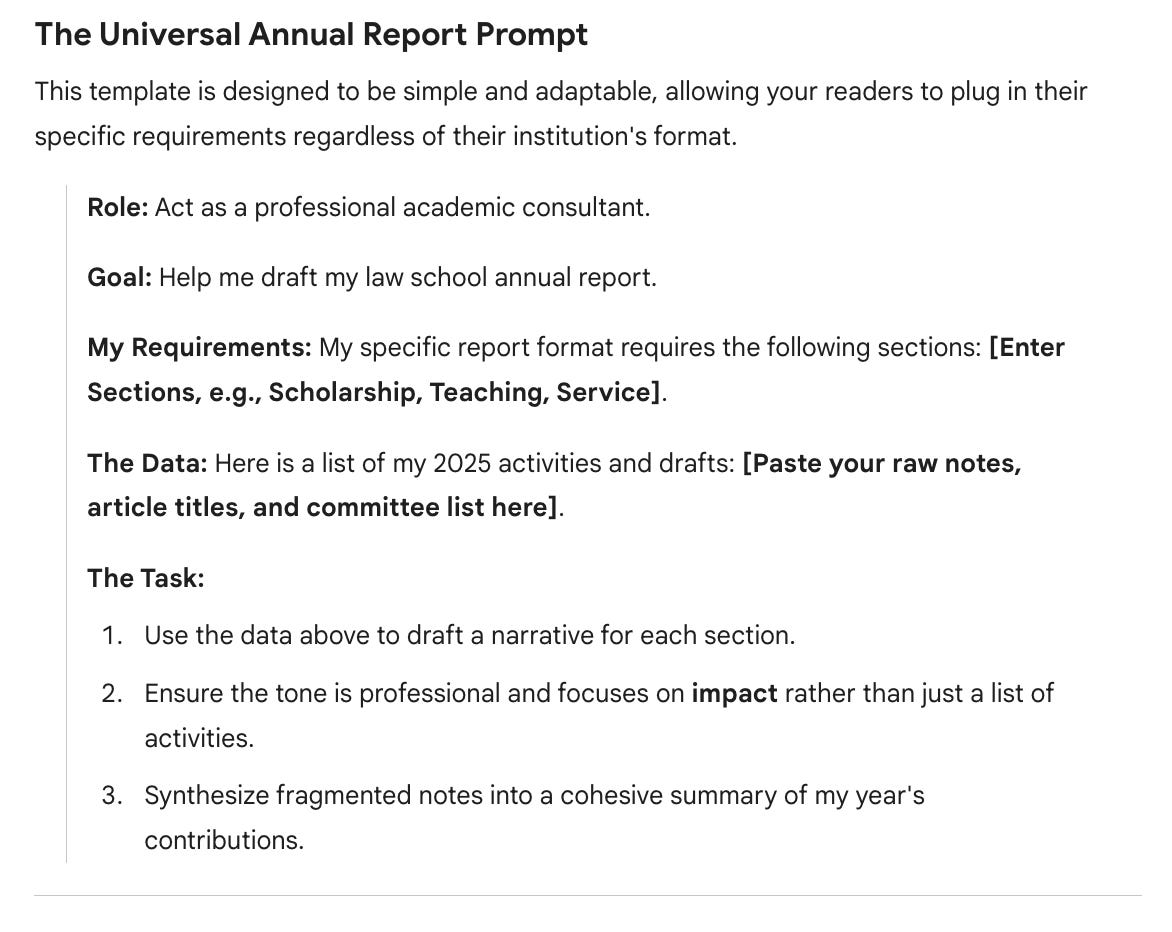
Let’s be honest: the annual faculty report is often the least favorite part of an academic’s December. We spend days sifting through a “data soup” of sent emails, draft papers, and calendar invites just to prove we’ve been productive. But with the release of Gemini 3.0, this tedious administrative lift is transformed from a weekend-long headache into a 30-minute synthesis task.
Gemini’s latest reasoning capabilities are built for exactly this—taking a mess of unstructured data and turning it into a professional narrative for your Dean. Instead of just listing your 2025 accomplishments, you can use Gemini to find the “connective tissue” in your scholarship. By feeding it your abstracts or intros, you can generate a high-level summary that articulates your impact and identifies the broader themes you’ve tackled all year.
For service, it’s even easier: paste in your committee service along with external org roles, and let the AI categorize them into “institutional” versus “professional” impact. It’s a shift from reactive manual tracking to proactive strategic curation. Instead of just documenting your hours, you can use AI to distill a year of effort into a high-impact narrative that is coherent and intentional.
How do you make this work for you? Stop treating administrative reports as documentation exercises and start treating them as synthesis opportunities. Feed AI your unstructured accomplishments and ask it to identify patterns, themes, and connections you might miss when you’re too close to the work.
Rethinking Assessment Design for the ABA Era – Kyle Turner
The ABA now requires multiple assessments per course, moving law schools away from the traditional single-exam model. For faculty accustomed to one final or paper, this shift means designing entirely new assessment structures and doing it by spring semester as our pilot test run.
I’ve been using AI tools to help faculty brainstorm and build these assessments. Starting with course objectives, previous materials, or even rough notes, I’m experimenting with multiple tools to give faculty options that fit different teaching styles. The AI generates everything from quiz variations to mini oral examination formats, which is particularly valuable for faculty worried about students using AI to complete written work.
The process works both ways: AI helps brainstorm new assessment types faculty haven’t considered, and it fleshes out half-formed ideas into ready-to-use assessments. Instead of staring at a blank page, wondering “what else can I assess besides a final exam?”, faculty can see concrete options tailored to their course objectives and decide what actually works for their teaching approach.
This isn’t just about ABA compliance. It’s about expanding what assessment can look like when you’re not constrained by the single-exam tradition.
How do you make this work for you? Use AI to rapidly prototype options rather than reinventing from scratch. Feed it your existing materials and constraints, then use the output as a menu of possibilities to adapt rather than adopt wholesale.
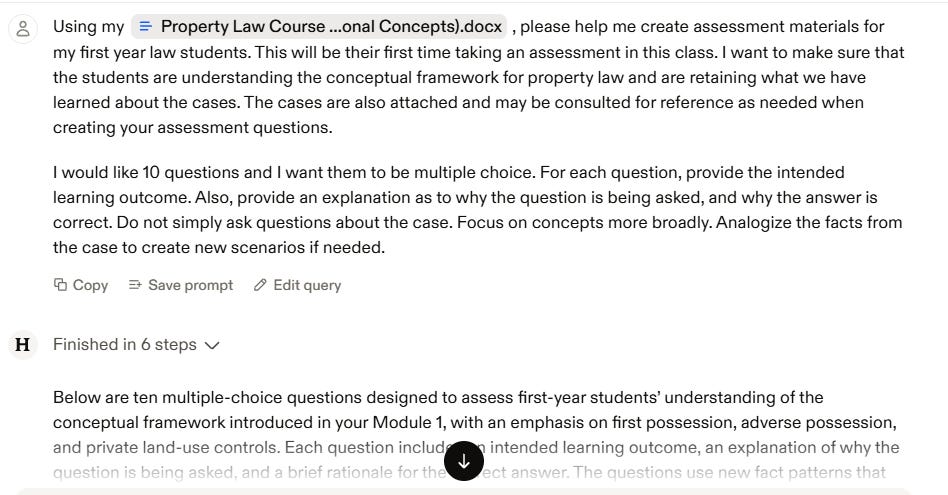
Image Generation & Visual World-Building – Emily Pavuluri
I used ChatGPT’s image generation to build a coherent visual identity for a fictional law firm and classroom materials for our new Law Firm Practice class. The task involved creating attorney headshots in a consistent illustrated style, generating a firm boardroom scene with specific attorney compositions, and producing Nashville-themed visuals that matched the same aesthetic.
The goal was to make a collection of visuals feel ‘real’ and intentional. Not some random, clearly stock photo images thrown together, with each one not quite right. And oh boy, did ChatGPT deliver. I’m oscillating between really impressed and terrified.


Image generation has become pretty incredible. Of the five headshots generated, three were perfect right out of the gate. Two required an additional prompt to get something a little different. What impressed me most was the consistency across multiple images.
This approach solved a problem I’ve faced in previous classes: how many of us feel stuck, either using stock photos that never quite match, or spending hours trying to find images that create a cohesive look? Here, I got custom, consistent visuals that reinforced the narrative we were building for students.

How do you make this work for you? When you need multiple related images for a project, specify the style upfront (perhaps even provide an image reference) and refer back to that style in subsequent prompts.
This volume’s use cases share a common thread: we’re using AI to build and create rather than just analyze and summarize. Whether our tools generate visual identities for fictional scenarios, synthesize a year’s work into coherent narratives, design assessments for new requirements, or code functional tools without traditional programming knowledge, these applications push beyond AI as a research assistant into AI as a collaborative maker.
The best part? None of these required expert-level skills or expensive tools. They required curiosity, willingness to iterate, and acceptance that “good enough” often really is good enough.
So, what are you using AI for? Not the theoretical applications or the tools you think you should be using. But the real ones. The boring ones. The ones that just work. Share your use cases with us through our Google form. We’d love to feature your practical wins in a future volume.